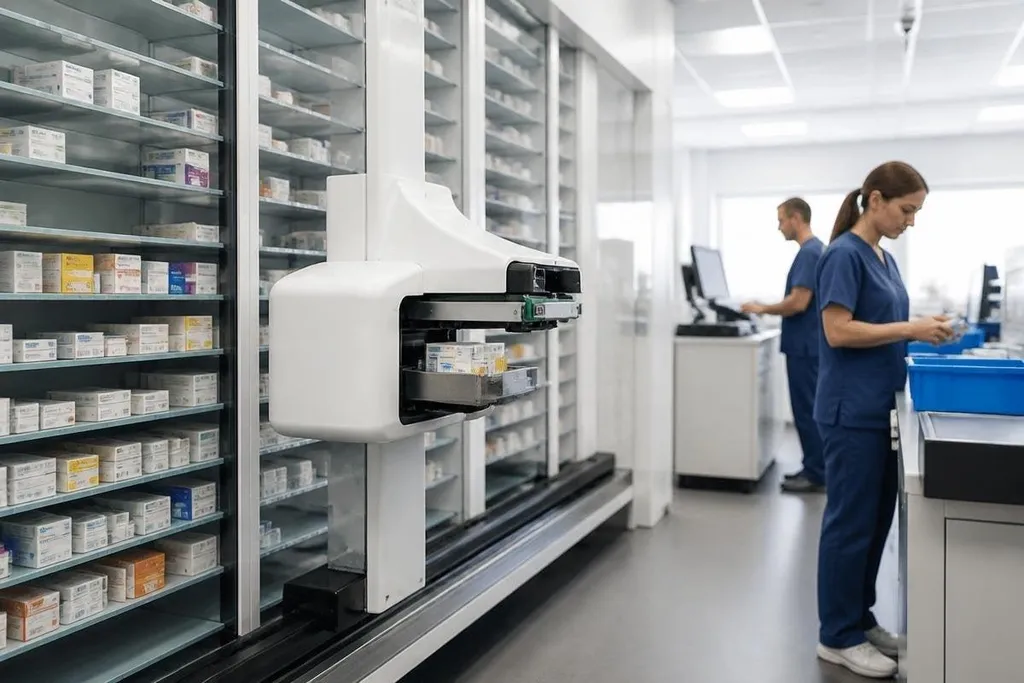
A pharmacy robot can receive a prescription, find the right package, and send it to a work area without a person walking to a shelf for each item. That changes where pharmacy staff spend their time: less searching and carrying, more checking orders and helping with unusual cases.
Quick read
- Pharmacy robots store medicines, read order data, and send items to a pickup point.
- Barcode checks can help match a package with the order in the system.
- Staff still handle exceptions, stock choices, checks, and clinical decisions.
From prescription to package
The process starts when a hospital system sends a medicine order to the pharmacy. Software checks the order details, then the robot looks for the matching package in its storage area.
Many systems use barcodes or other package data to identify stock. A barcode is a machine-readable label, so the system can compare the package with the order before the medicine moves on. The check matters because a fast delivery of the wrong package is still a wrong delivery.
After the package is found, the robot sends it to a defined handoff point. That point may be a counter, a chute, a conveyor, or a small container for a ward. The exact setup depends on the hospital layout and the type of medicine being handled.
Storage rules also matter. Medicines can need different temperatures, light levels, access controls, or handling steps. A pharmacy robot can manage locations inside its own storage area, but staff still decide where stock belongs and how it should be handled.
Where the work changes
The largest change is physical movement. A technician may no longer spend as much time walking between shelves, checking bins, and bringing packages back to the counter. That can leave more time for order review, stock checks, and questions from care teams.
The robot also creates a record of each movement inside its software. A hospital can use that record to see when an item entered storage, when it left, and which order it matched. The record only helps when staff keep package data and storage rules accurate.
A pharmacy manager comparing storage robots needs the package task, storage conditions, staff handoff, and test setting in the same report. Robot 24 gives you a place to check those details before deciding whether a demo fits a hospital pharmacy.
That coverage is relevant when you need to separate a working medicine-distribution system from a short demonstration. A robot may also change the shape of the pharmacy itself. Shelves, counters, bins, and staff routes need to fit the machine, while emergency access still needs a clear plan. Installation can affect the room before the first package moves.
Where the limits remain
Pharmacy robots work best with stock that has clear package data and a repeatable storage process. Loose tablets, damaged labels, unusual doses, urgent substitutions, and medicines needing special handling can send an order to a person.
The software can follow rules, yet it doesn't make the clinical decision. A pharmacist still checks whether an order makes sense, deals with changes from a care team, and handles cases that fall outside the stored process.
A robot can also stop when its input is wrong. A missing barcode, an empty location, a jammed transfer point, or a stock count error may hold up an order until someone fixes the cause. The hospital needs a manual process for that moment.
I'd judge a pharmacy robot by its handling of exceptions, not by how quickly it moves a standard package. The routine work is easy to film; the unusual order is where the system earns its floor space.
A buying checklist for hospital teams
Before choosing a system, check these points:
- Map the order path: follow a medicine from the pharmacy system to the ward handoff.
- Test unusual stock: include damaged labels, empty locations, urgent changes, and items with special storage rules.
- Set the staff role: name who checks orders, fixes jams, updates stock, and approves manual release.
- Plan the room: measure access routes, service space, power, temperature control, and fire exits.
- Define failure handling: write the steps for software faults, network loss, blocked transfers, and manual picking.
- Price the full change: include room work, software links, training, service, and replacement parts.
The useful question is what happens at 2 a.m. when an urgent medicine doesn't match the normal path. A system that gives staff a clear manual route may matter more than one that moves routine packages a few seconds faster.